Sensory-Motor
Color Memory
Can you recreate a color from memory alone?
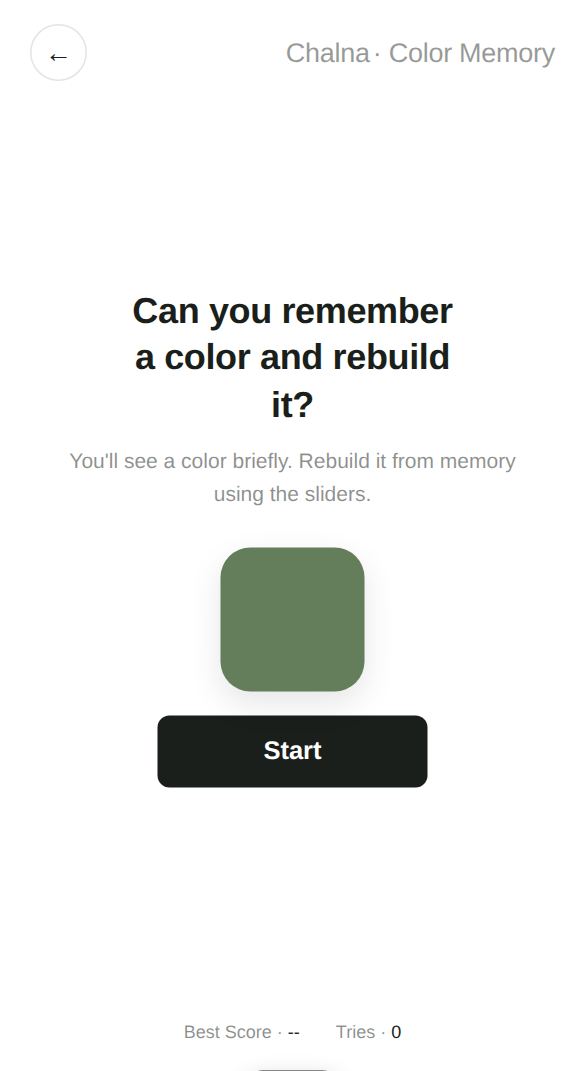
A color appears for a moment and then disappears. Using three sliders (hue, saturation, and brightness), recreate the color you remember. The game calculates the actual color difference (Delta E) and gives you one score out of 100.
Play now →No install, no sign-up — starts right away
At a glance
- Players
- 1 player
- Ages
- 8 and up
- Play time
- About 30 seconds
- Levels · Modes
- One mode (the color shows for 4 seconds, then one score out of 100)
How to play
- Tap Start to begin right away.
- A color appears for 4 seconds. A shrinking bar shows how much time is left.
- When it disappears, use the hue, saturation, and brightness sliders to make the color you remember.
- Tap Check to see the original color and yours side by side, along with your score out of 100.
Tips
- When you look at the color, sort it out in your head in this order: what color family it is (hue), how vivid it is (saturation), then how light or dark it is (brightness).
- The sliders always start in the middle (hue 180, saturation 50, brightness 50). Get the hue right first and the rest gets easier.
- The backgrounds of the saturation and brightness sliders change to match your current color, so you can see which way to adjust.
What it practices
Color memoryPractice holding a color you've seen clearly in your mind.
Color senseTrain your eye to think of color in terms of hue, saturation, and brightness.
Fine adjustmentPractice nudging a slider bit by bit to get just the right value.
Great for
- People who enjoy design, art, or working with color
- Anyone who wants a fun way to test their color sense
- Anyone who likes calm, focused games
Good to know
Color difference is calculated with the CIE Lab method, which is designed to match how the human eye perceives differences in color. Each game is short, so it's easy to play a few times in a row. Even if your score is low, comparing the original and your color side by side to see what was off is great practice in itself.
More games in this category
 ReactionThe moment the screen turns green, how fast can you react?
 CoordinationHow fast can you tap the circles as they appear?
 FocusCan you let go at exactly the right moment?
 Fine MotorCan you trace along the guide line accurately?
 Color SortCan you move each one to the spot that matches its color?
 TrackingCan you keep up with the moving circle?