
Sensory-Motor
Color Sort
Can you move each one to the spot that matches its color?
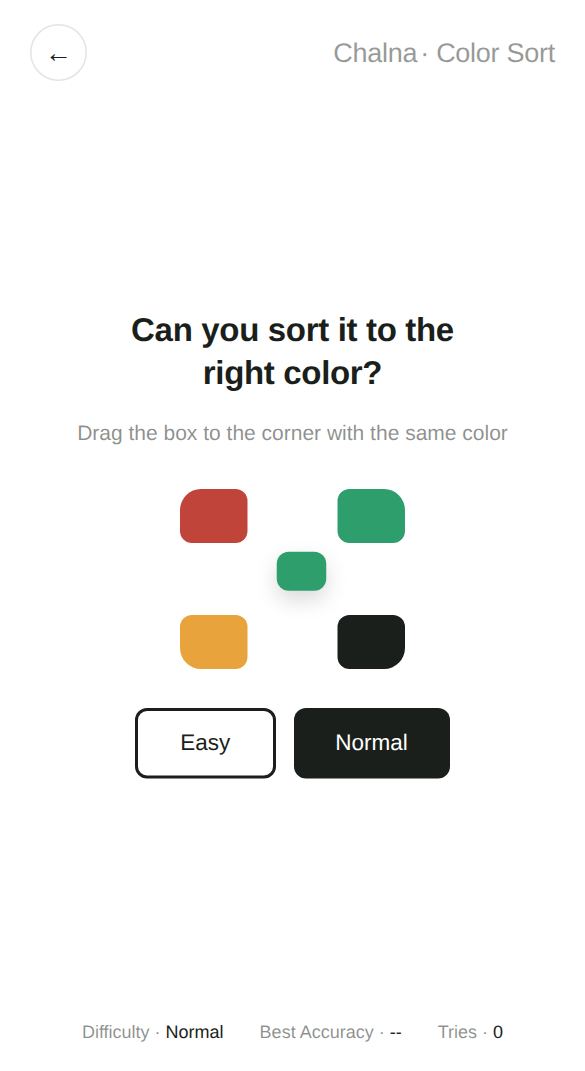
Drag the colored box that appears in the middle to the corner of the screen with the same color. You'll practice moving things accurately to a target and matching colors at the same time.
Play now →No install, no sign-up — starts right away
At a glance
- Players
- 1 player
- Ages
- 3 and up
- Play time
- About 1 minute
- Levels · Modes
- Normal · Easy (Easy has bigger boxes and corners)
How to play
- Choose Normal or Easy.
- Red, green, yellow, and black zones appear in the four corners of the screen.
- Press the box in the middle and drag it to the corner with the same color.
- Move 5 boxes per round for 3 rounds, 15 in all, and you'll see your accuracy and average time.
Tips
- The corner colors switch places every round. When a new round starts, check all four corners first.
- If you drop a box outside the corner zones, or just tap it without dragging, it simply slides back to the center. It only counts as wrong when you drop it on a corner of a different color.
- In Easy mode the boxes and corners are bigger, which is easier for adults with larger fingers and for young children.
What it practices
Goal-directed movementPractice moving something accurately to exactly where you want it.
Color matchingQuickly find and connect matching colors.
Drag-and-drop skillsGet comfortable with dragging on a touch screen.
Great for
- Kids learning color names and matching
- Seniors who want to practice dragging on a smartphone
- Anyone who wants a game with bigger hand movements
Good to know
Because the corner layout is shuffled every round, you can't just memorize where to go. Looking and deciding each time keeps you naturally focused.
More games in this category
 ReactionThe moment the screen turns green, how fast can you react?
 CoordinationHow fast can you tap the circles as they appear?
 Color MemoryCan you recreate a color from memory alone?
 FocusCan you let go at exactly the right moment?
 Fine MotorCan you trace along the guide line accurately?
 TrackingCan you keep up with the moving circle?