
Casual Games
Chess
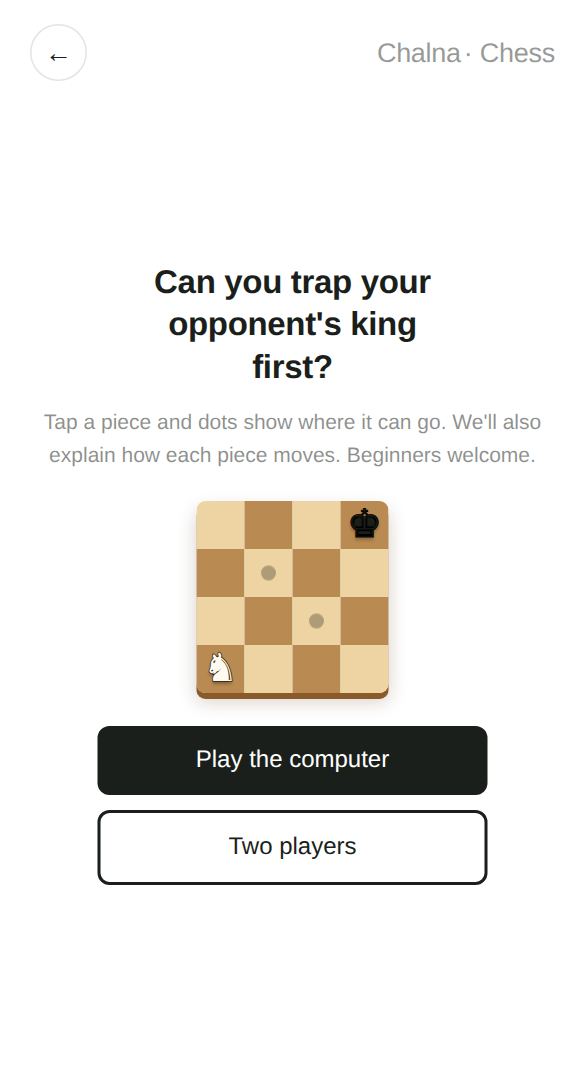
Can you be the first to trap your opponent's king?
Tap a piece and dots show where it can move, along with how that piece moves, so you can learn as you play even if you're brand new. Play the computer, or play with a friend on the same screen.
Play now →No install, no sign-up — starts right away
At a glance
- Players
- 1 player (vs. computer) or 2 players
- Ages
- 7 and up
- Play time
- About 10–30 minutes per game
- Levels · Modes
- Play the computer · Two players
How to play
- Choose "Play the computer" or "Two players."
- Tap a piece you want to move. Dots show the squares it can go to, along with a note on how that piece moves.
- Tap a square with a dot to move there. Moving onto a square with an opponent's piece captures it.
- Attack your opponent's king so it has nowhere to escape (checkmate) and you win. Made a mistake? You can undo a move.
Tips
- Early on, it's a good idea to move your pawns and knights toward the center.
- Send your queen out too far too early and she'll likely get chased around. Bring out your other pieces first.
- Before moving a piece, make a habit of checking whether it could be captured on its new square.
What it practices
Logical thinkingUnderstand and apply each piece's different rules.
Looking aheadAnticipate your opponent's next move.
PlanningSet goals that take several moves to reach.
Great for
- Kids and adults who want to learn chess from scratch
- Anyone who wants to play a friend on one screen
- Anyone who wants a calm game against the computer
Good to know
Official rules like castling, en passant, and pawn promotion are included. Captured pieces are shown off to the side, so you can see at a glance who's ahead.
More games in this category
 Split Second - OriginalIn a split second — what changed?
 Split Second - CountHow many dots did you just see?
 Split Second - Snap CatchCatch the green star before it vanishes!
 Split Second - Time AttackCan you stop right on time without seeing the clock?
 Split Second - Flash SumFive numbers flash by. What do they add up to?
 Split Second - PredictThe ball vanished behind the wall. When will it reach the flag?
 Split Second - Spot MemoryWhich tiles just lit up? Remember where!
 GomokuCan you be the first to get five in a row?
 Stone FlickCan you flick all your opponent's stones off the board?
 Yut NoriCan you be the first to bring all four pieces around the board?
 Janggi (Korean Chess)Fancy a game of Janggi, Korean chess?
 SudokuPut 1 to 9 once in every row, column and box!
 SolitaireCollect all 52 cards from A to K
 MinesweeperUse the numbers to avoid the hidden mines
 ReversiSandwich your opponent's discs to flip them
 NonogramUse the number clues to reveal a hidden picture